

10 Essential Home Office Design Tips



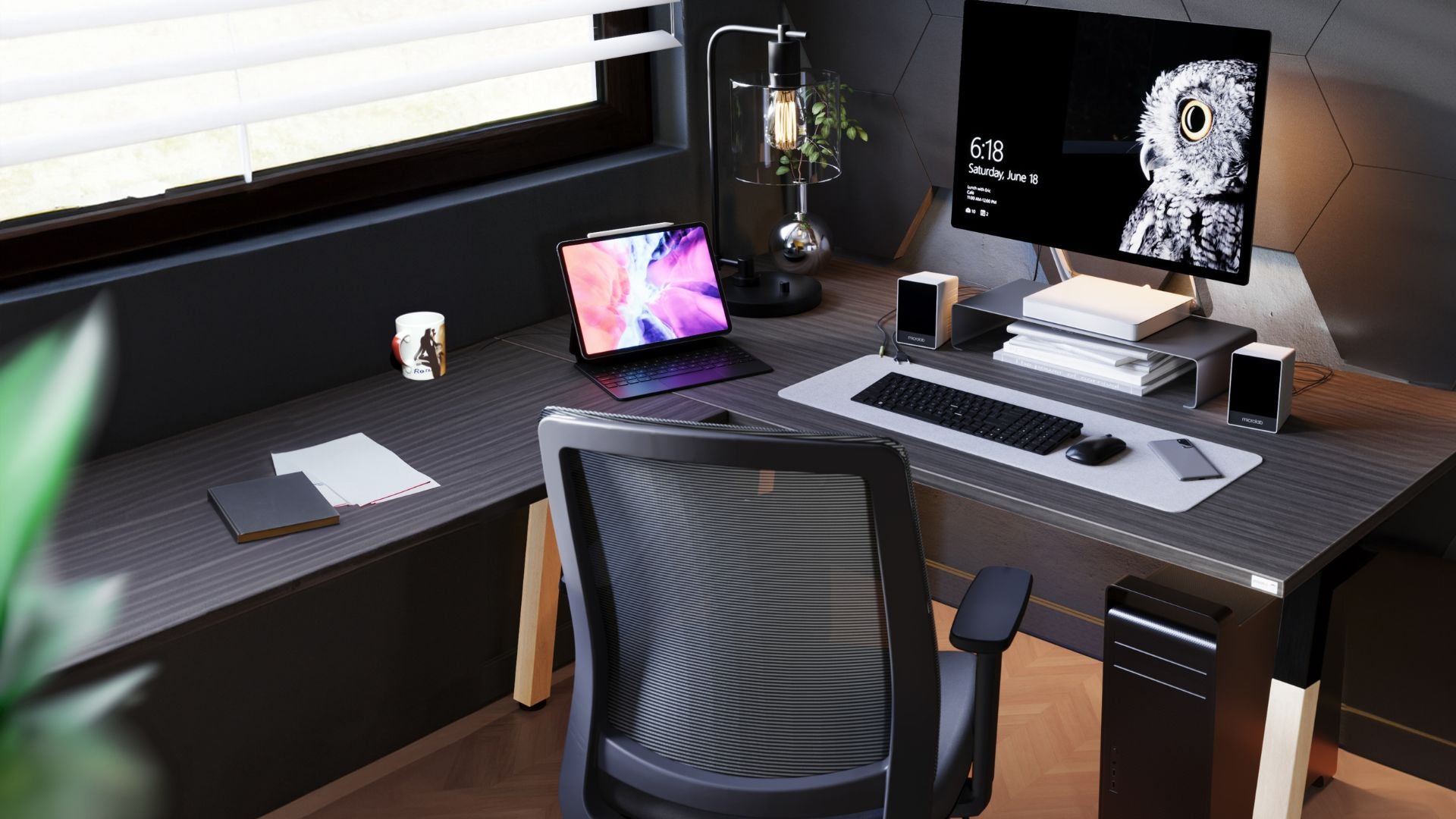
Summary
- A structured home office layout reduces distractions, improves workflow efficiency, and supports consistent productivity
- Ergonomic furniture selection directly impacts posture, comfort, and long-term health outcomes for remote workers
- Effective zoning, storage, and lighting strategies maximise small spaces without compromising functionality or usability
TL;DR
A high-performing home office is built around three factors - layout, ergonomics, and organisation. The right desk, chair, and storage setup reduces friction, improves posture, and supports consistent work output. For SMEs and remote teams, optimising your home workspace is one of the fastest ways to improve productivity without increasing costs or space requirements.
What defines a productive home office setup?
A productive home office is not defined by style or décor. It is defined by how efficiently work gets done.
- Clear separation between work and personal areas
- Minimal visual and physical distractions
- Efficient access to tools, documents, and equipment
- Ergonomic alignment that supports long work sessions
- Consistent layout that reduces daily decision fatigue
Most underperforming home offices fail due to layout inefficiencies, not lack of space.
Using structured home office furniture ensures the setup is designed for output, not appearance.
How to choose the right desk for your workflow
The desk is the operational centre of your workspace. Choosing the wrong one creates daily friction.
- Surface Area Matches Your Task Load
- Depth Supports Monitor Distance, Ideally 600–750mm Or More
- Layout Fits Room Constraints Without Blocking Movement
- Supports Accessories Like Monitor Arms And Storage
- Allows Clean Cable Routing And Power Access
Useful desk options include home office desks, standing desks, and larger configurations for multitasking roles.
Most productivity issues come from insufficient desk space, poor positioning, or lack of access to essential tools.
Why ergonomic seating is non-negotiable in home offices
Home offices often lack the ergonomic standards of commercial environments. This leads to fatigue, discomfort, and reduced output over time.
Using quality office chairs provides:
- Consistent spinal alignment
- Reduced pressure on lower back and shoulders
- Better posture over extended periods
- Lower fatigue levels during the day
For extended daily use, ergonomic chairs should be treated as a baseline requirement, not an upgrade.
How to design your home office layout for efficiency
Layout determines how easily work flows throughout the day.
- Position Desk Near Natural Light Without Screen Glare
- Maintain Clear Walkways Around The Workspace
- Keep Frequently Used Items Within Arm’s Reach
- Avoid Facing High-Distraction Areas
- Ensure Power Access Without Trailing Cables
Placing furniture purely for appearance usually creates friction. The better approach is to position each item around the tasks you perform most often.
How to organise your home office for daily productivity
Organisation is not a one-time task. It is a system that makes your workspace easier to reset and maintain.
- Keep Only Active Work Items On The Desk
- Store Archive Or Infrequent Items Off The Work Surface
- Assign Fixed Locations For All Tools And Documents
- Use Drawers And Cabinets To Eliminate Visual Clutter
- Maintain A Reset Routine At The End Of Each Day
Using structured office storage helps keep the system practical over time.
What storage solutions work best in home offices?
Storage should reduce friction, not create complexity.
- Desk-Level Storage For Daily-Use Items
- Document Storage For Paperwork And Records
- Vertical Storage To Maximise Limited Space
- Closed Storage To Reduce Visual Clutter
Useful options include desk drawers, filing cabinets, and office shelving.
How to use zoning to improve focus and workflow
Even small home offices benefit from defined zones. Zoning reduces task-switching friction and makes the space easier to use.
- Primary Work Zone For Computer Tasks
- Admin Zone For Paperwork And Secondary Tasks
- Storage Zone For Documents And Equipment
- Optional Collaboration Zone For Calls Or Meetings
For shared or growing setups, office workstations provide structured layouts that scale more easily.
How lighting impacts productivity
Lighting affects eye strain, focus, and daily energy. A poor lighting setup can make an otherwise good workspace feel tiring.
- Use Natural Light From The Side Where Possible
- Avoid Direct Glare On Screens
- Add Task Lighting For Focused Work
- Use Ambient Lighting To Reduce Harsh Contrast
Lighting is one of the simplest ways to improve comfort without changing the full layout.
What accessories actually improve home office performance?
Accessories should solve problems, not add clutter.
- Monitor Arms For Correct Screen Positioning
- Cable Management For A Cleaner Workspace
- Whiteboards For Planning And Visibility
- Ergonomic Accessories For Posture Support
High-impact additions include monitor arms, cable management, whiteboards, and ergonomic accessories.
How to maximise small home office spaces
Limited space requires precise planning. The goal is to use every piece of furniture intentionally.
- Use Vertical Storage Instead Of Floor Units
- Choose Multi-Functional Furniture
- Avoid Oversized Desks And Chairs
- Keep Layout Minimal And Purpose-Driven
- Use Corners And Walls Efficiently
Space efficiency is driven by layout decisions, not room size.
What are the most common home office design mistakes?
- Choosing Style Over Function
- Ignoring Ergonomics
- Poor Lighting Placement
- No Defined Work Zones
- Lack Of Storage Leading To Clutter
Most home office issues are not expensive to fix. They are usually caused by overlooked layout, seating, lighting, or storage decisions.
Why JasonL is trusted. Built for reliability. Delivered without delays.
- 3–5 working day delivery on stocked furniture
- Australia-wide coverage across all regions
- Large in-stock range of desks, chairs, and storage
- Professional installation available where required
- 10-year structural warranty on selected products
Whether you're upgrading a single room or scaling a remote team, office furniture solutions are designed for immediate usability.
How JasonL compares to other suppliers. Clear differences. No noise.
Buyer decision snapshot
- Faster delivery enables rapid home office setup without downtime
- In-stock ranges remove long manufacturing delays
- Integrated product ecosystem simplifies buying decisions
- Installation support reduces setup errors
- Warranty coverage improves long-term reliability
| Criteria | JasonL | Large national office supplier |
|---|---|---|
| Product availability | Large in-stock range | Often made-to-order |
| Delivery timeframe | 3–5 working days | 2–8+ weeks common |
| Product ecosystem | Integrated desks, chairs, storage, accessories | Often fragmented |
| Installation support | Available where required | Limited or outsourced |
| Fitout capability | End-to-end support available | Typically supply only |
| Warranty | Up to 10 years structural | Varies by product |
| Best suited for | SMEs, remote teams, home offices | Enterprise procurement |
FAQs
What is the most important part of a home office?
The desk and chair setup is the most important part of a home office. These two items directly affect posture, comfort, and how long you can work without fatigue. Once they are correct, lighting and storage become easier to optimise.
How do I design a home office in a small space?
Start with compact furniture, vertical storage, and a clear work zone. Avoid oversized desks, bulky chairs, and unnecessary décor. A small space can work well when every item has a clear function.
Do I need an ergonomic chair for working from home?
Yes, especially if you work from home for several hours each day. An ergonomic chair supports posture, reduces fatigue, and helps prevent discomfort. Dining chairs and occasional chairs are not designed for long work sessions.
How can I improve productivity in a home office quickly?
Clear your desk, improve lighting, and make sure your chair and desk are properly aligned. Remove items that do not support your work. These changes can improve focus without requiring a full redesign.
What desk is best for a home office?
The best desk depends on your workflow and room size. Compact desks suit smaller spaces, while standing desks support movement during long workdays. The key is choosing enough depth and surface area for your daily tasks.
How important is lighting in a home office?
Lighting is very important because it affects eye strain, energy, and focus. Natural light is useful when positioned correctly, but task lighting is often needed for detailed work. Avoid screen glare wherever possible.
Can I create a functional home office without a separate room?
Yes. A dedicated corner can work well if it has a proper desk, chair, storage, and lighting. Clear zoning helps separate work from personal space, even in a shared room.
What furniture should I prioritise first?
Start with the chair, desk, and storage. These have the biggest impact on comfort and daily workflow. Accessories should come after the core setup is working properly.
How do I keep my home office organised long term?
Use fixed storage locations and reset the workspace at the end of each day. Keep only active work items on the desk. A simple system that is easy to maintain will last longer than a complicated one.